































Anonymous
Forum Replies Created
-
In reply to: Add links with text in footer
October 18, 2022 at 8:05 am #12324stevland
KeymasterNope, that is outside of what CSS is designed to do. CSS is primarily for styling HTML elements.
The only way I can think of to insert links without touching the source code would be to use Javascript or jQuery. But that would require a fairly sophisticated programing solution and isn’t worth the trouble.
But if you did want to edit the source code, it isn’t really a big deal. The only caveat is that you’ll want to back up the edited file(s) when upgrading and apply your edits to the new installation. Super easy!
The file(s) you’ll edit are:
osta/inc/client-foot.html
osta/inc/staff-foot.htmlIn reply to: Turn off animations
October 18, 2022 at 7:54 am #12321KeymasterHi @Vincx,
I knew it was inevitable that someone wouldn’t like the animations. I’m surprised it took this long for someone to say so! And you phrased it very diplomatically hehe.
I think this should include all of the animations, but let me know if you find any stragglers.
/*
STAFF ANIMATIONS
*//* default logo, custom text, custom logo */
a#header-logo:hover > #left-logo #header-title,
a#header-logo:focus > #left-logo #header-title,
a#header-logo:active > #left-logo #header-title,
a#header-logo:hover > #left-logo #header-image img,
a#header-logo:focus > #left-logo #header-image img,
a#header-logo:active > #left-logo #header-image img,
a#header-logo:hover > #left-logo #header-default svg,
a#header-logo:focus > #left-logo #header-default svg,
a#header-logo:active > #left-logo #header-default svg,/* new ticket navigation link*/
a#new-ticket:hover, a#new-ticket:focus, a#new-ticket:active,/* theme options navigation link */
a#subnav7.theme,/* buttons and inner down caret */
button.action-button:hover > i.icon-map-marker:before, button.action-button:focus > i.icon-map-marker:before, button.action-button:active > i.icon-map-marker:before,
.action-button:hover > i.icon-caret-down:before, .action-button:focus > i.icon-caret-down:before, .action-button:active > i.icon-caret-down:before,
input[style="color: rgb(255, 0, 0);"],/* new reply */
.new-reply,/* pop ups */
#popup,
.modal.fade .modal-dialog,/* alerts and banners */
#alert,
#msg_info, #msg_notice, #msg_warning, #msg_error, .success-banner, .notice-banner,/* warning and compliance messages */
#warning_bar,
.compliance-animate
{
animation: none;
}/*
CLIENT ANIMATIONS
*//* alerts and banners */
#msg_info, #msg_notice, #msg_warning, #msg_error, .success-banner, .notice-banner,/* buttons */
#sign-in-button:hover,
.searchArea button:hover,
#clientLogin input[type=submit]:hover,/* popups */
div#popup,/* language flags */
.chevron .button-icon-container
{
animation: none;
}In reply to: OAuth2 plugin
October 17, 2022 at 8:15 pm #12296KeymasterHi @raaadmin,
The OAuth2 plugin is fully supported in osTicket v1.17 / osTicket-1.17-Awesome-102.
I don’t use it myself, but there were a handful of users who were anxiously awaiting this release to keep using the plugin, and I haven’t heard of any issues.
I suggest trying to configure it again.
In reply to: Search is broken after upgrade to 1.17
October 10, 2022 at 2:38 pm #12146KeymasterIf anyone else is reading this how has osTicket Awesome for osTicket 1.17 (Revision 1) installed…
…you can either manually apply the fix I suggested above, or upgrade to osTicket Awesome for osTicket 1.17 (Revision 2).
In reply to: jquery version
October 10, 2022 at 2:34 pm #12143KeymasterThank you very much for the head’s up, @Benoit!
I know that you’ve already figured out how to fix this yourself. But, for everyone else, I’ve released osTicket Awesome for osTicket 1.17 (Revision 2) that contains this and another important fix (basic search functionality in the Staff Panel).
In reply to: Attachment handling issue
October 10, 2022 at 2:30 pm #12140KeymasterNo worries.
And JediKev announced a fix today so these issues should be resolved once 1.17.1 is released.
In reply to: Attachment handling issue
October 10, 2022 at 10:58 am #12099KeymasterJediKev commented 5 minutes ago
@stevlandI have a pull coming today that might fix this issue.
Cheers.
In reply to: Attachment handling issue
October 10, 2022 at 10:50 am #12095KeymasterI appreciate the update.
I was playing around with the dropzone / embedded upload function in 1.17 and I found that the situation is somewhat fixed, but it still isn’t very intuitive.
I was using .png and .pdf files in my tests. I didn’t have anything added to Additional Filetype Filters.
I found that in the Staff Panel, by default, one can attach both .png and .pdf files up to ~8MBs.
This is in spite of the fact that Agent Panel > Tickets > Ticket Settings and Options > Ticket Attachment Settings > Maximum File Size is set to 128 MB.
And in the Client Portal, by default, one can upload .png files up to ~1MB. But one cannot upload .pdf files at all.
In reply to: Search is broken after upgrade to 1.17
October 10, 2022 at 10:02 am #12093KeymasterOops! Yes, scp\tickets.php.
In reply to: user-script.js is working?
October 8, 2022 at 11:05 pm #12024KeymasterMost people don’t even know about that file.
It’s been a long time since I used it, so I thought maybe it was broken.
I added some simple jQuery:
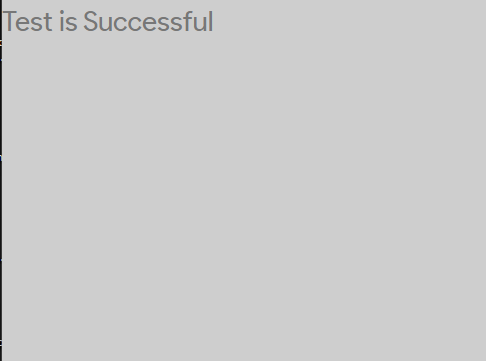
$( "body" ).replaceWith( "<h2>Test is successful</h2>" );And it worked as expected:
There is something wrong with your code. My console returns this:
Uncaught SyntaxError: Unexpected token '=>'In reply to: Mobile Ticket List Rendering Incorrectly
October 8, 2022 at 10:51 pm #12020KeymasterThis CSS customization didn’t work.
I suggest upgrading to the latest release.
Also, when creating a new ticket, the datepicker is also not translating to Brazilian Portuguese.
I can assure you that the datepicker is translating properly.
I’m afraid that the problem is that the Brazilian Portugese language pack is missing a lot of translations… it is only 17% complete!
https://crowdin.com/project/osticket-official
You may consider opening a Crowdin account and contributing.
In reply to: How increase dimensioni of top bar menu
October 8, 2022 at 10:35 pm #12016KeymasterThis may look like a simple thing but I can tell you that it definitely is not.
Sorry, it is not possible at this time.
In reply to: Get more space between Welcome page and Open ticket widget
October 8, 2022 at 10:30 pm #12013KeymasterYou messed it up when you edited the Landing Page text, but then you forgot how you did it hehe.
Take a look at Admin Panel > Modify > Pages > Landing
In reply to: Dont Scroll after Form Update
October 8, 2022 at 10:25 pm #12010KeymasterI’m pretty sure that this is a technical limitation of PHP.
I’ve heard that other programing languages, such as Ajax, allow the user to submit form data without a page refresh.
In order to achieve the behavior you want you would have to modify the osTicket source code.
It is way beyond the support I can offer, but it is an interesting question and I think I found the solution.
You would need to do something like this:
I hope this helps.
In reply to: Sort button on Mobile interface
October 8, 2022 at 10:13 pm #12007KeymasterHi @huypt,
Please add the following to Admin Panel > Theme Options > Custom CSS:
@media screen and (max-width: 550px) {
.action-button.muted[data-dropdown="#sort-dropdown"] {
display: inline-block;
font-size: 0;
}
.action-button i.icon-caret-down {
display: none !important;
}
i.icon-sort-by-attributes-alt {
margin: 0 -6px 0 0;
}
}